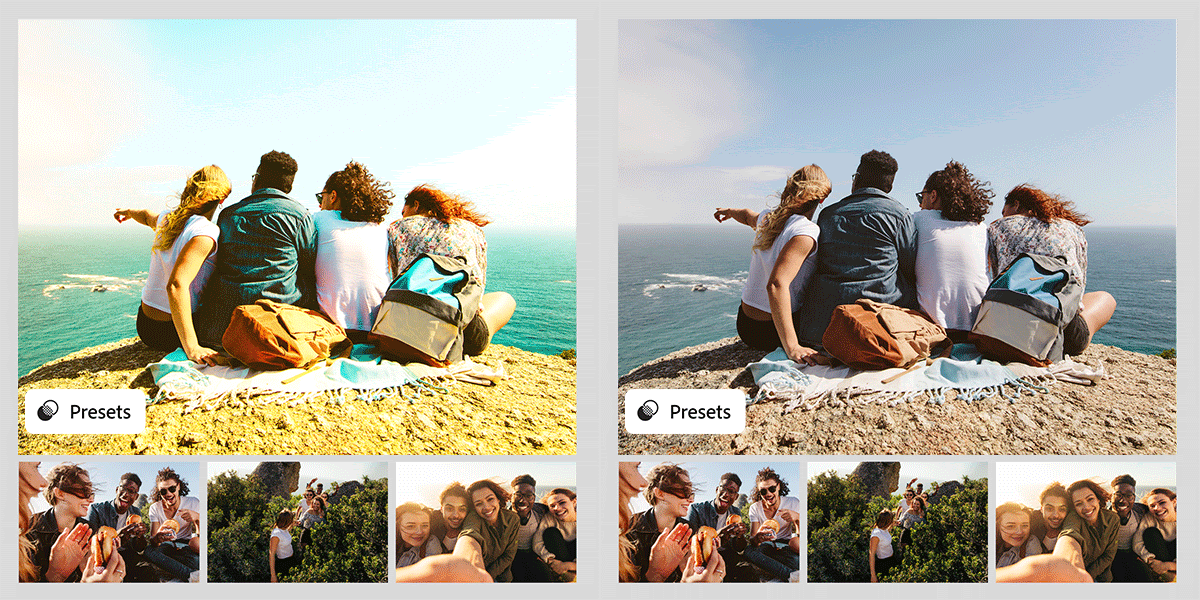
One of the most powerful features in Adobe Lightroom is the ability to use presets. Presets apply a set of adjustments instantly, helping you achieve a consistent look across your photos. In 2025, presets are more versatile than ever, thanks to AI-powered improvements. Here’s how to use them—and create your own.
1. What Are Lightroom Presets?
- Saved sets of editing adjustments (exposure, contrast, colors, etc.).
- Apply instantly to any photo with one click.
- Great for consistency across portfolios, brands, or campaigns.
2. How to Use Presets
- Open Lightroom and select a photo.
- In the Presets Panel, choose from built-in or imported presets.
- Adjust the intensity slider (added in 2025) to fine-tune the effect.
- Apply to multiple photos using Sync Settings.
3. Popular Types of Presets in 2025
- Cinematic Looks: For moody, film-inspired edits.
- Bright & Airy: Perfect for weddings and lifestyle photography.
- Dark & Moody: Adds depth and drama.
- Travel Presets: Boost skies, landscapes, and cityscapes.
4. How to Create Your Own Preset
- Edit a photo with your desired adjustments.
- In the Presets Panel, click “Create Preset.”
- Name your preset and choose which settings to save.
- Your custom preset is now reusable on any photo.
5. AI-Powered Presets (2025 Update)
- Firefly AI can now generate preset suggestions based on your photo’s subject and style.
- Lightroom also offers adaptive presets, which apply adjustments differently to skies, people, or objects automatically.
Conclusion
Lightroom presets are essential for fast, professional editing. By using built-in options, downloading packs, or creating your own, you can streamline your workflow and develop a signature style in 2025.
👉 Take your editing to the next level: Get Adobe Lightroom free for 7 days and start building your own preset library.